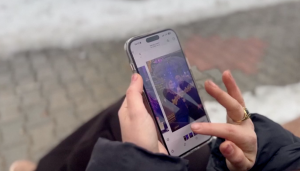
For Catherine, the offer sounded like a stroke of luck.
She had recently moved into a new residence when a neighbor offered to share his Wi-Fi password with her, giving her access to free internet.
The neighbor said he worked for an internet service provider and was entitled to a fast internet connection with speeds of up to 1,000 megabits per second.
Catherine was not the only one to accept the offer. Three other neighbors were also given the password, allowing them to access the internet without paying for the service.
For four months, everything appeared normal. Then the text messages started coming.
One morning, Catherine and her neighbors received alerts from their banks notifying them of transactions they had not authorized.
She and the other affected residents reported the incidents to their banks and began trying to establish how their financial information could have been compromised.
As they tried to piece together what had happened, they remembered the Wi-Fi connection they had been using and the neighbor who had provided the password.
The experience highlighted an important risk for customers who use smartphones and computers for banking: the security of the internet connection you use can also affect your overall digital security.
Free Wi-Fi can expose you to cyber risks when the network is unsecured, fake or compromised, allowing criminals to intercept information or trick you into revealing sensitive details. This can put your personal and financial information at risk, particularly when using your phone to access banking services, make payments or send money.
What to do before using free Wi-Fi
Free Wi-Fi can be tempting, particularly in restaurants, airports, offices, residential compounds and other public places. But before connecting to a network, consider who operates it and whether you can trust the connection.
As an Equity customer, avoid accessing your bank account or carrying out sensitive financial transactions over unsecured public Wi-Fi. Where possible, switch to your mobile data or use a trusted, password-protected private network when accessing mobile or internet banking.
Never enter your PIN, password, one-time password or other security credentials into a website or application when you are unsure about the security of the connection.
You should also keep your Equity mobile banking application, phone operating system and other software updated. Use strong, unique passwords and avoid saving your banking credentials on shared or public devices.
When using online banking, always log out after completing your session. If you use a browser, check that your banking password has not been saved or automatically filled in.
Most importantly, pay attention to your transaction alerts. If you notice a transaction, you did not authorize, contact Equity immediately through official channels so that the matter can be investigated.
If you have questions about your account or digital banking security, visit an Equity branch or branded Equity Agent, call 100 from your Equitel line or 0763 000 000 from another mobile network.
Free internet may save you the cost of a data bundle, but protecting your financial information should always come first.
For more tips on secure banking, visit: https://equitygroupholdings.com/ke/secure-banking-tips/
#KaaChonjo